Day to day
Close knowledge gaps
Gaps groups unanswered questions into topics, so you can see what your knowledge is missing. Work through the biggest topics first, and your answer rate goes up. You'll also get these in your weekly summary email.
Step by step
Step 1
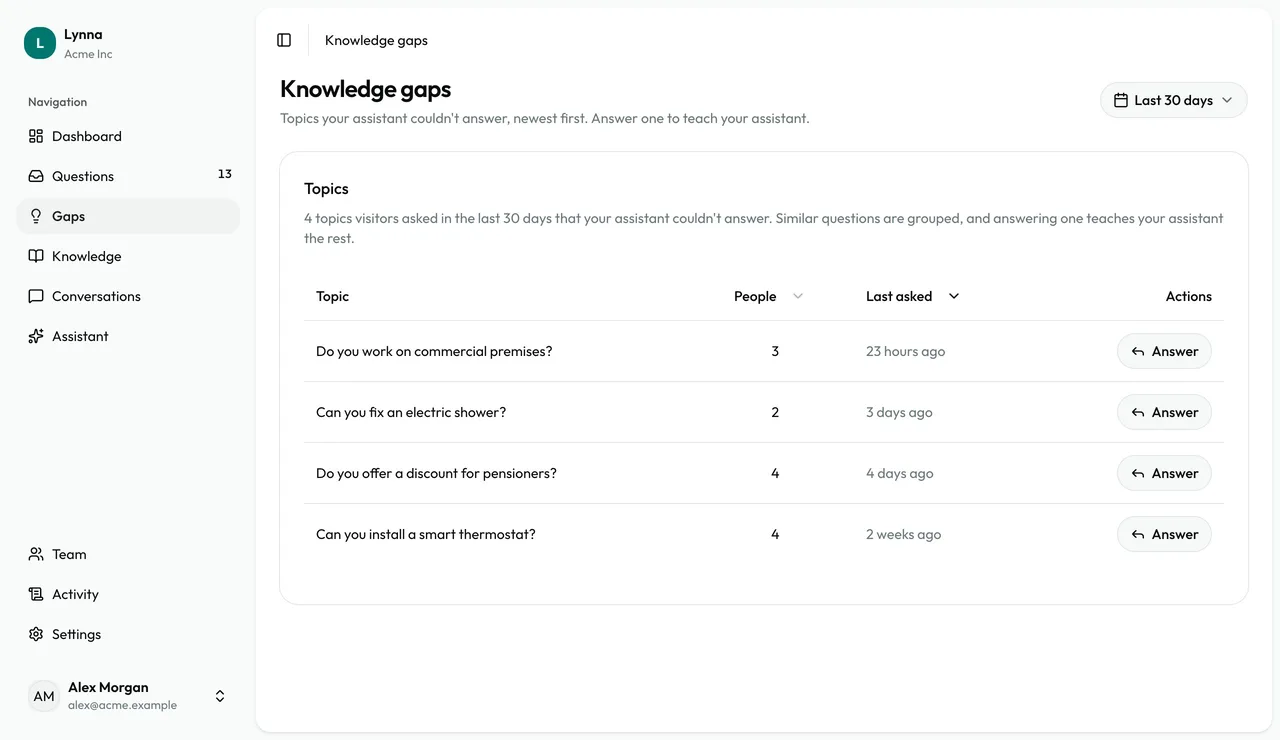
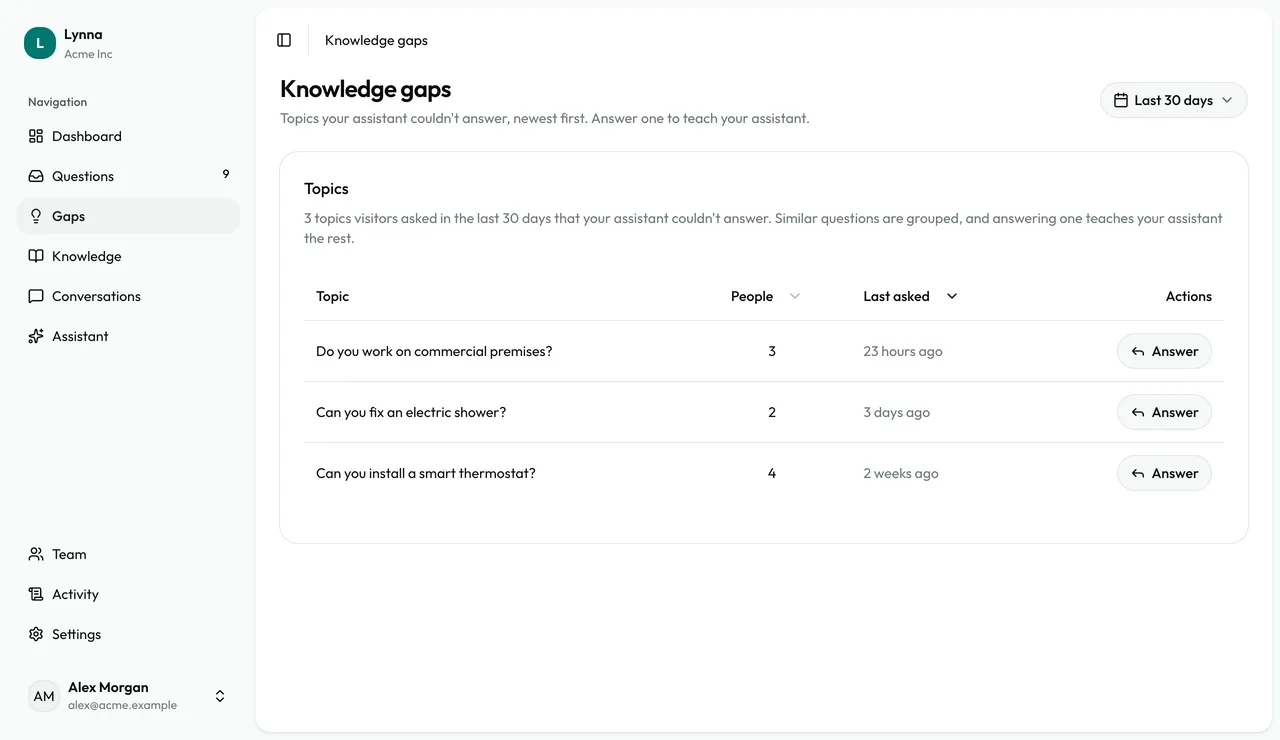
Open Gaps
Similar questions are grouped into one topic, with how many people asked and when.
Step 2
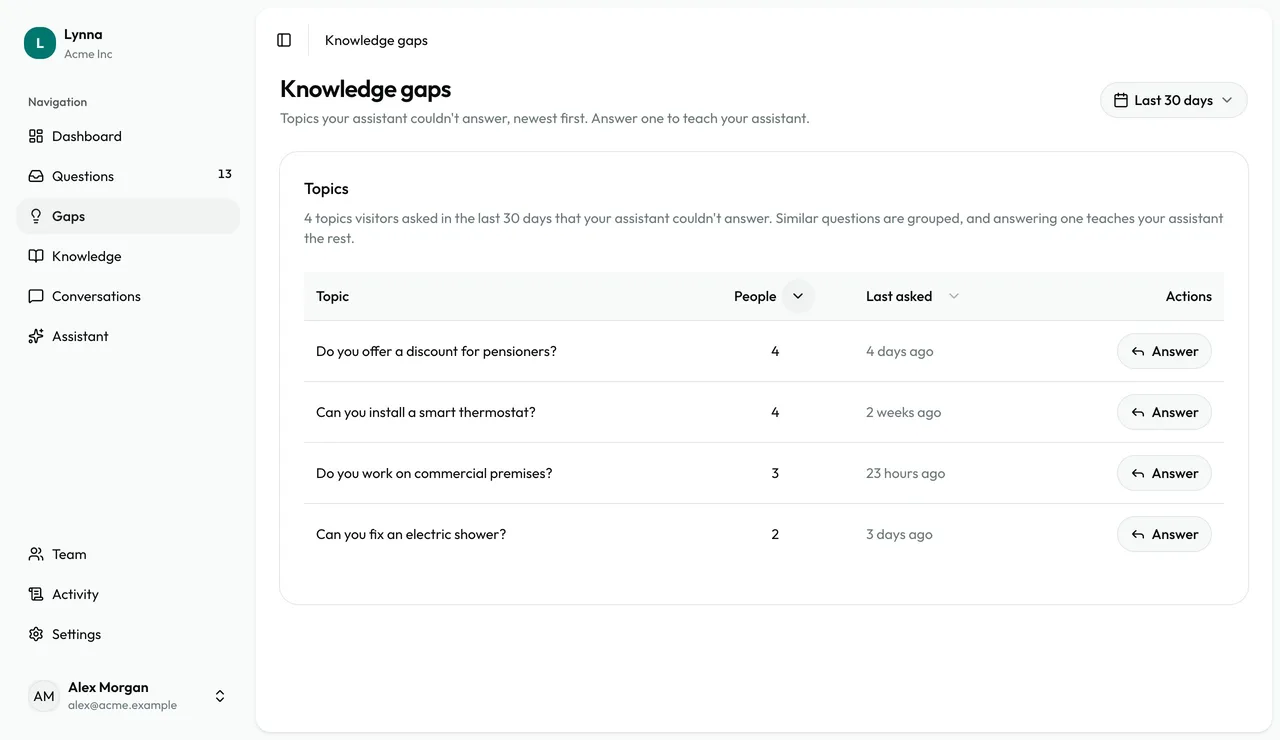
Find the biggest topics
Sort by People to see what comes up most. Use the date filter to change the period.
Step 3
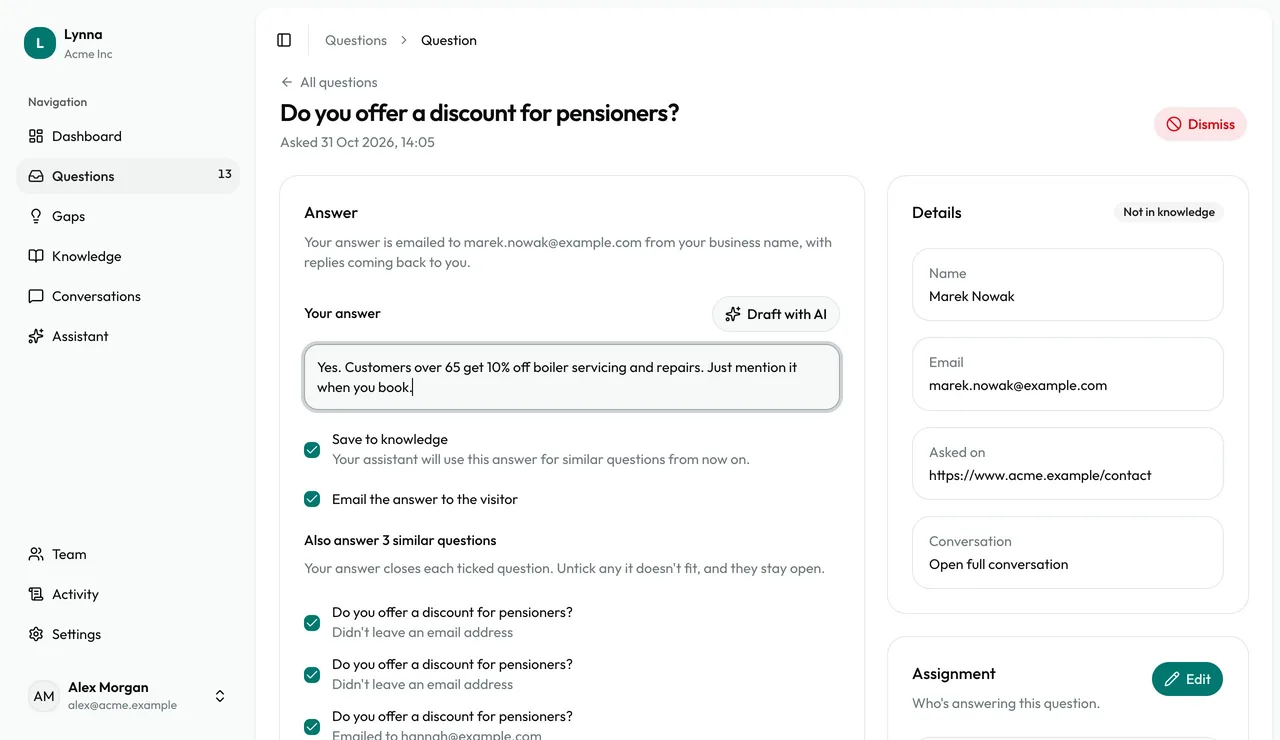
Answer a topic
Choose Answer and reply as you would to any question. Your answer teaches your assistant for everyone who asks next.
Step 4
Check who it covers
Everyone else who asked is listed and ticked. Untick any your answer doesn't fit, and they stay open.
Step 5
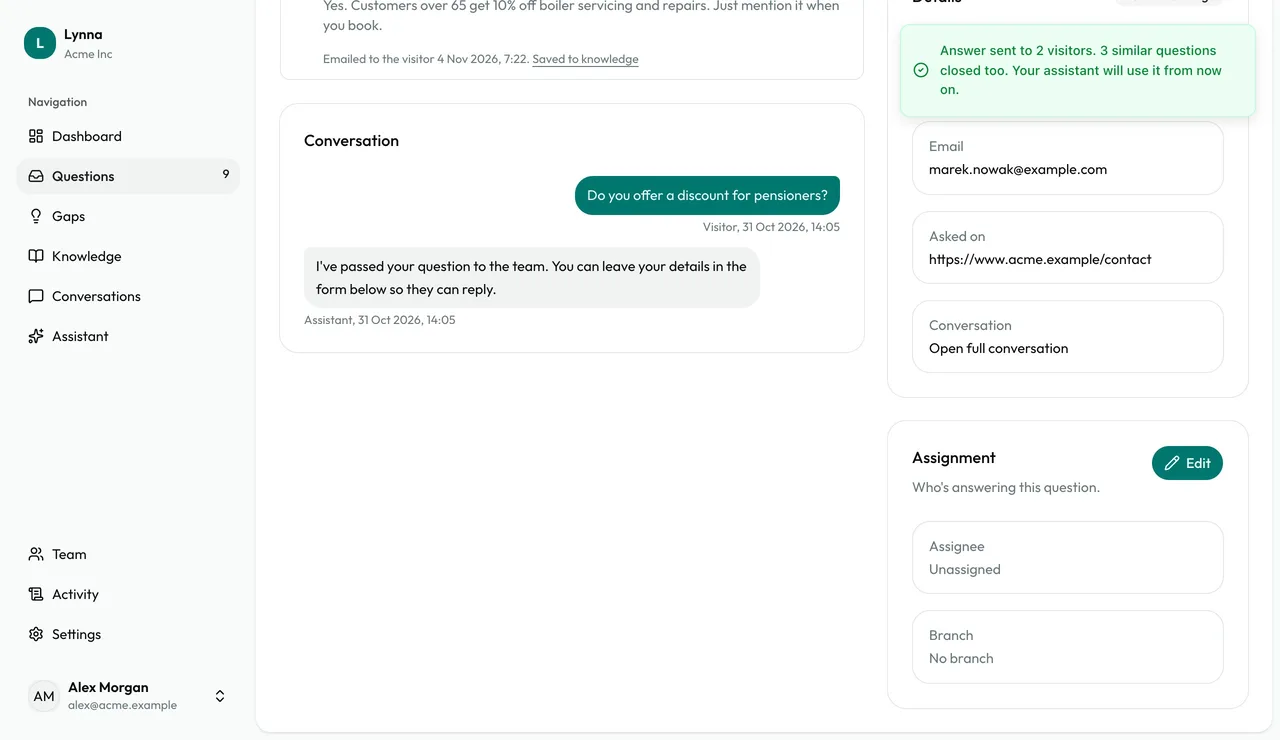
Close the topic
Send your answer. The ticked questions are closed, visitors who left their email get it, and the topic leaves your list.
- Want to cover a whole subject at once? Write a note on the Knowledge page.
Next: Manage your knowledge
Next guide