All guides
Day to day
Read your dashboard
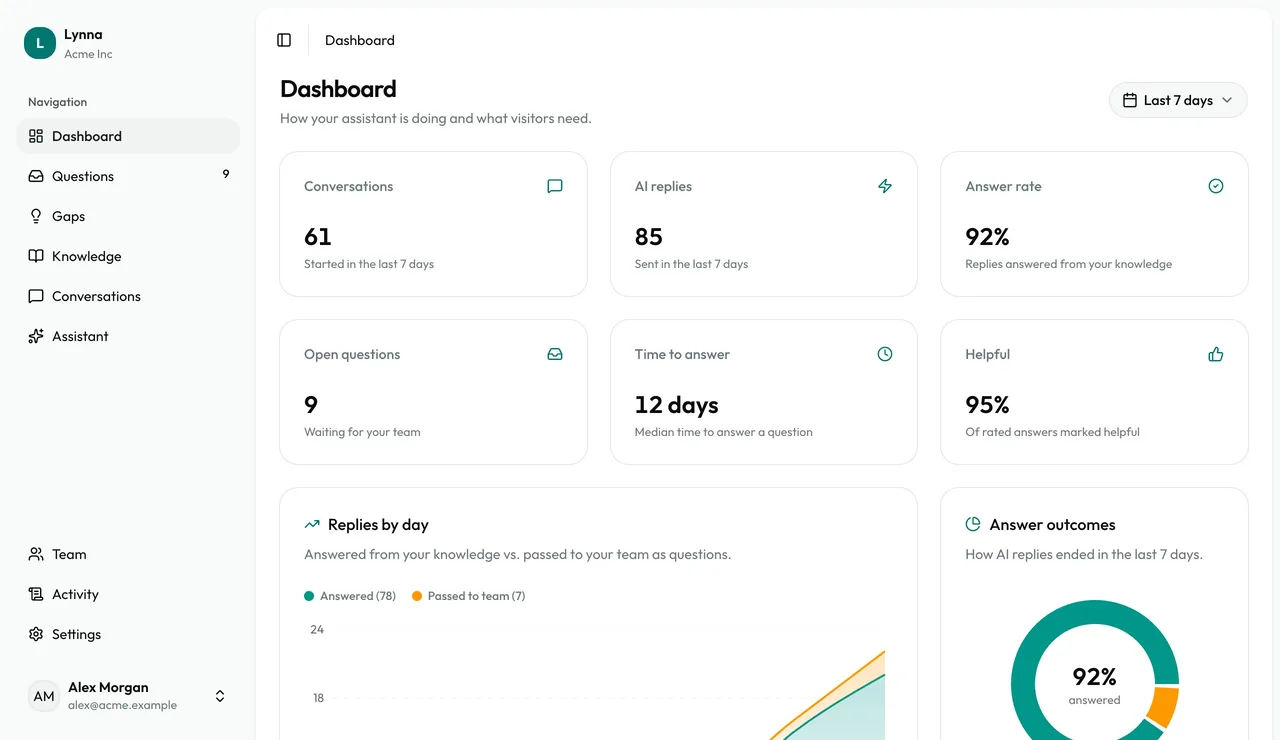
The dashboard turns conversations into a clear picture: how many people asked, how many got an answer, when they asked and what's missing. It's the quickest way to see the value your assistant is adding.
Step by step
Step 1
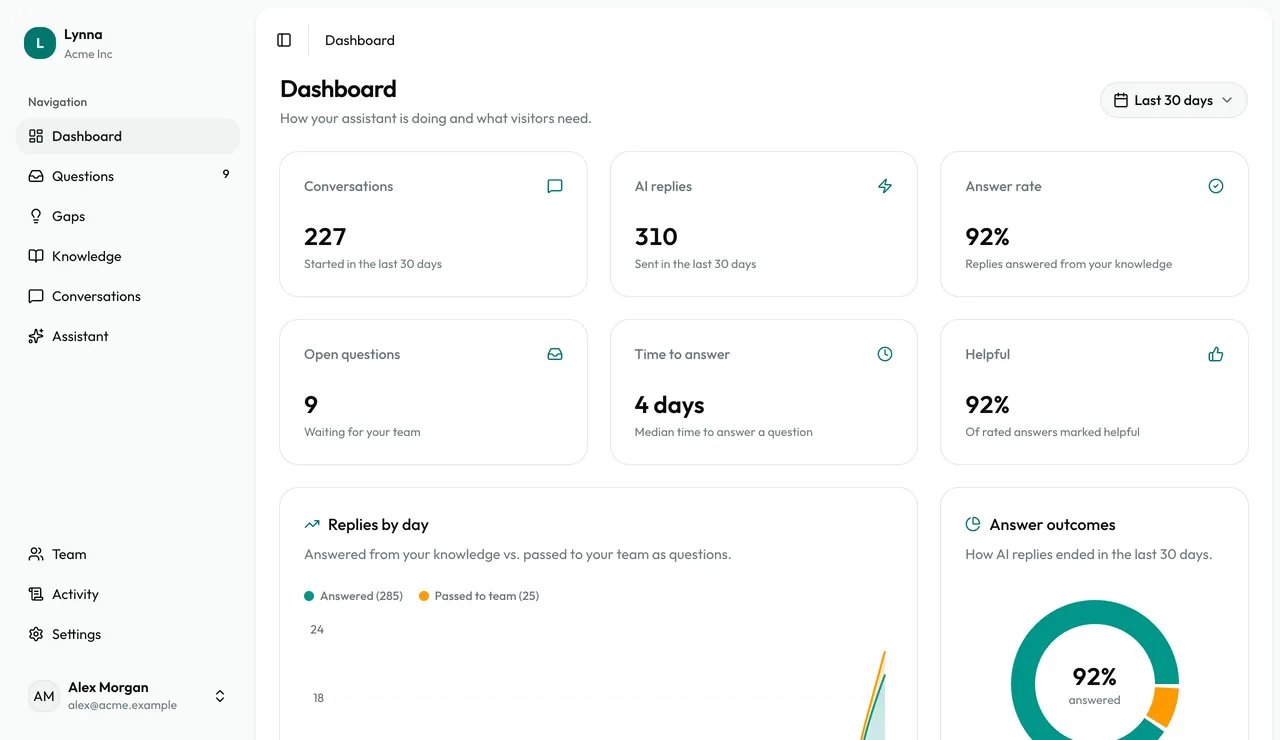
See the headlines
Conversations, AI replies, answer rate, open questions, time to answer and helpful rate, for the period you choose.
Step 2
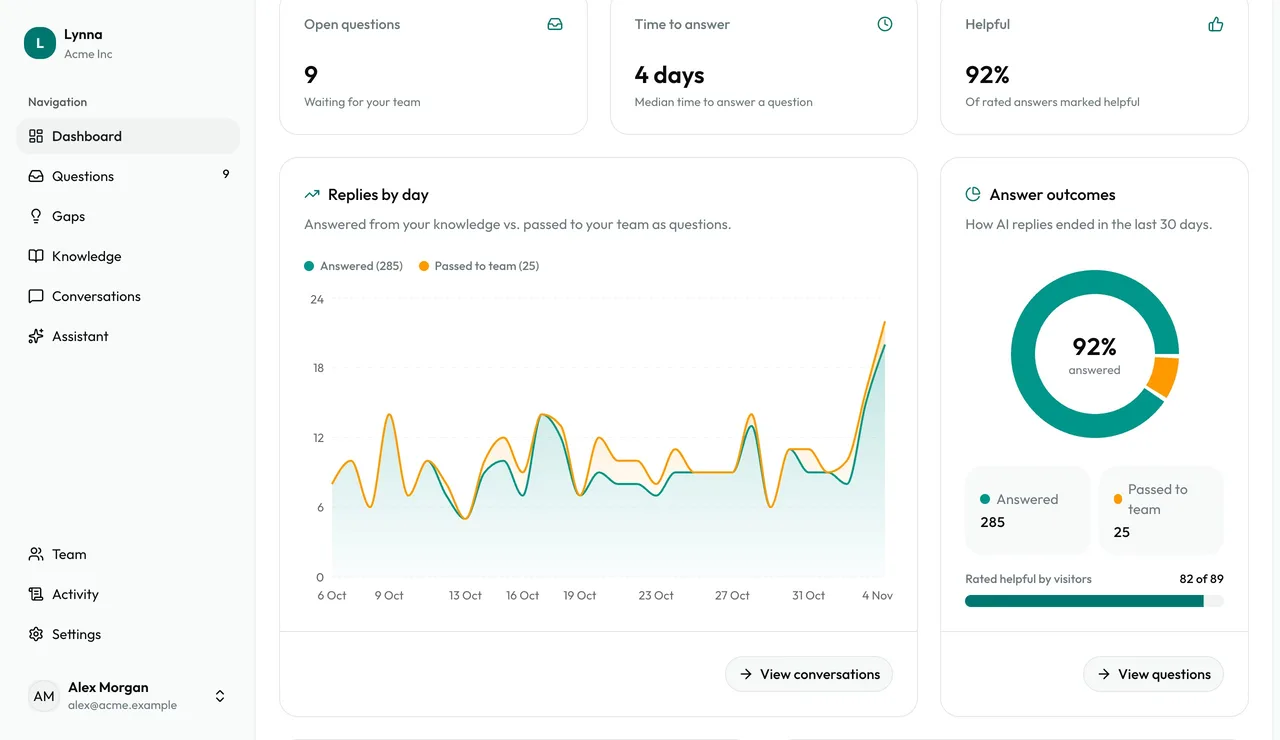
Replies by day
What was answered from your knowledge against what was passed to your team.
Step 3
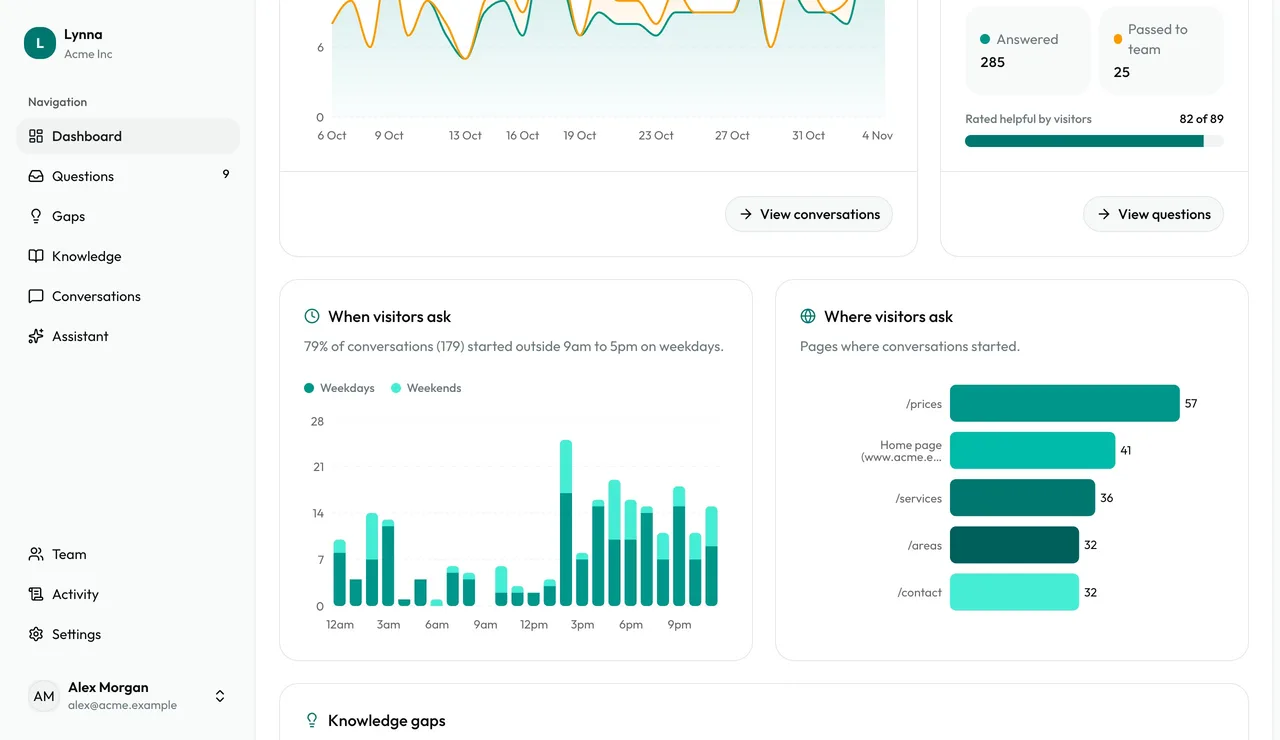
When and where visitors ask
See the hours people ask, including outside office hours, and which pages they ask from.
Step 4
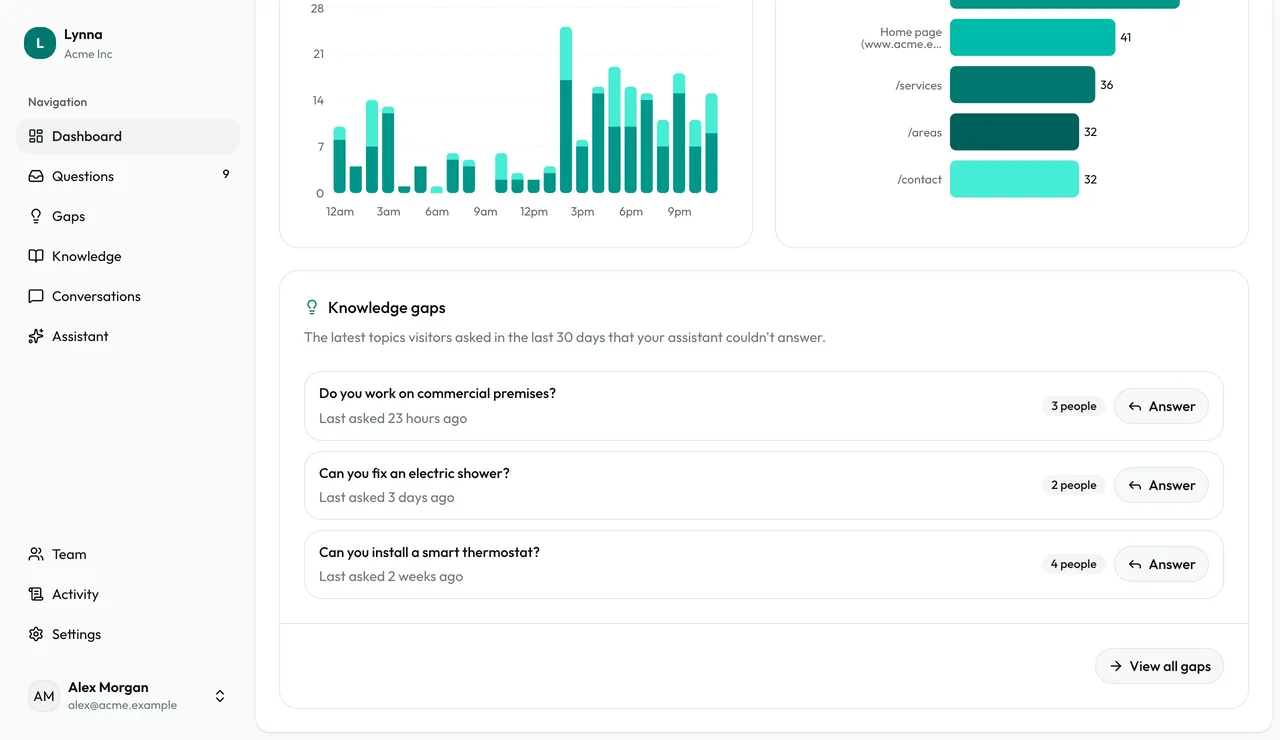
Your latest gaps
The top topics to teach next, with an Answer button on each.
Step 5
Change the period
Choose a preset such as Last 7 days, or a custom range of up to a year.
Good to know
- Header badges show anything that needs attention, and link to where to fix it.
Next: Customise your assistant
Next guide