Lynna
PricingFAQ
Sign in
All guides

Day to day

Review conversations

Every chat is kept here for as long as your retention setting says. Use it to spot what people care about, check how answers landed, and find a particular chat.

Step by step

  1. Step 1

    Open Conversations

    The list shows each chat's first question, where it started and when.
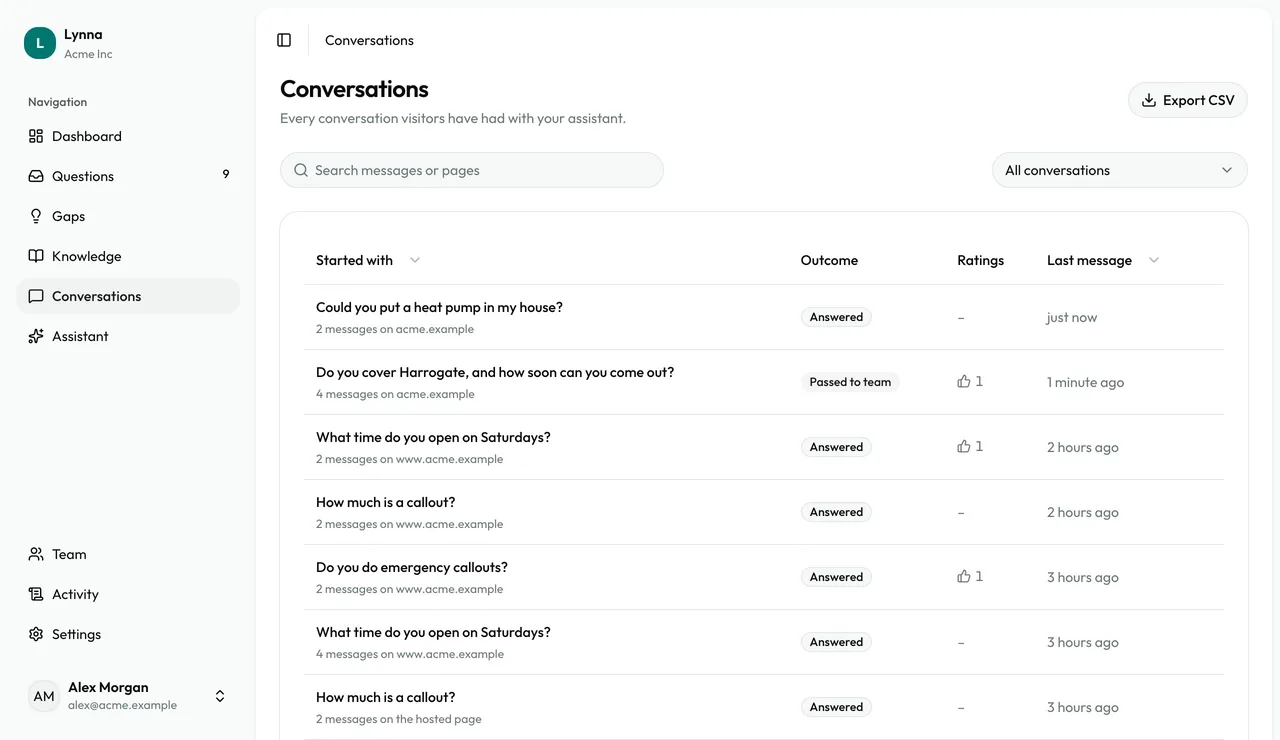
    Open Conversations
  2. Step 2

    Scan the outcomes

    See whether each chat was answered or passed to your team, and any ratings.
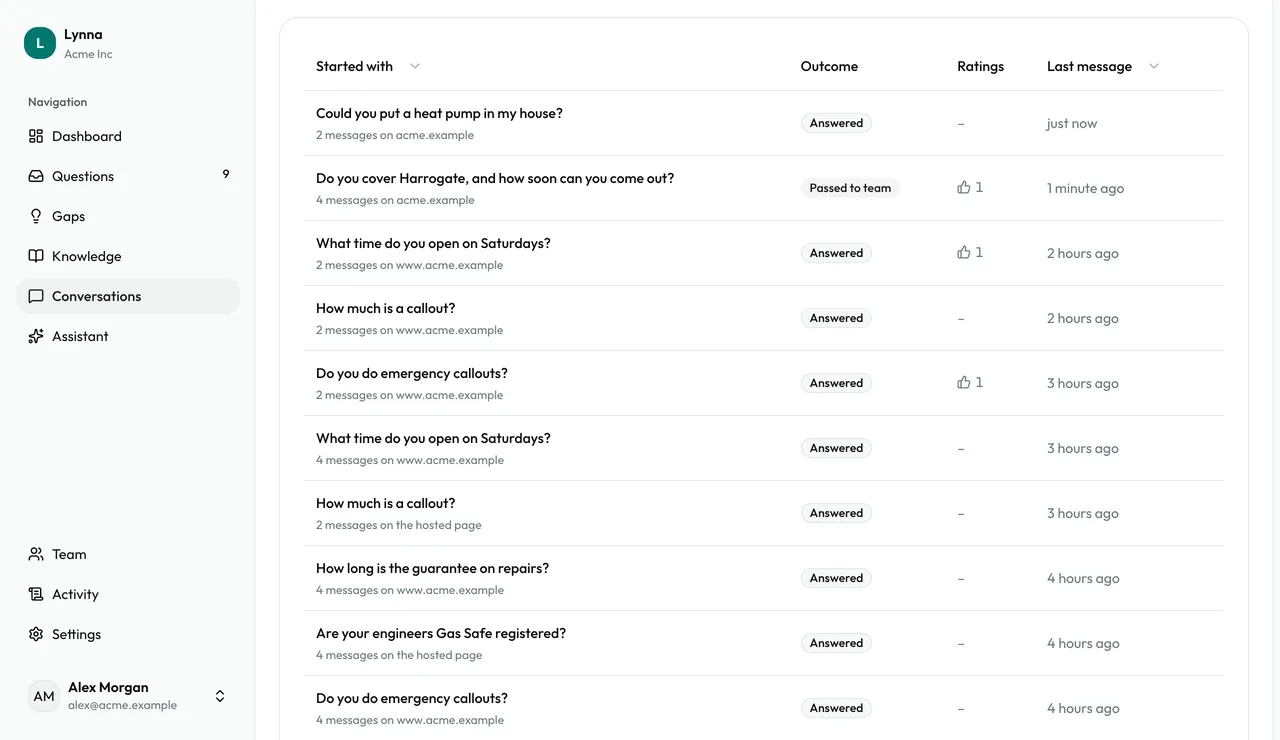
    Scan the outcomes
  3. Step 3

    Search

    Search by any word in a message, or by page address.
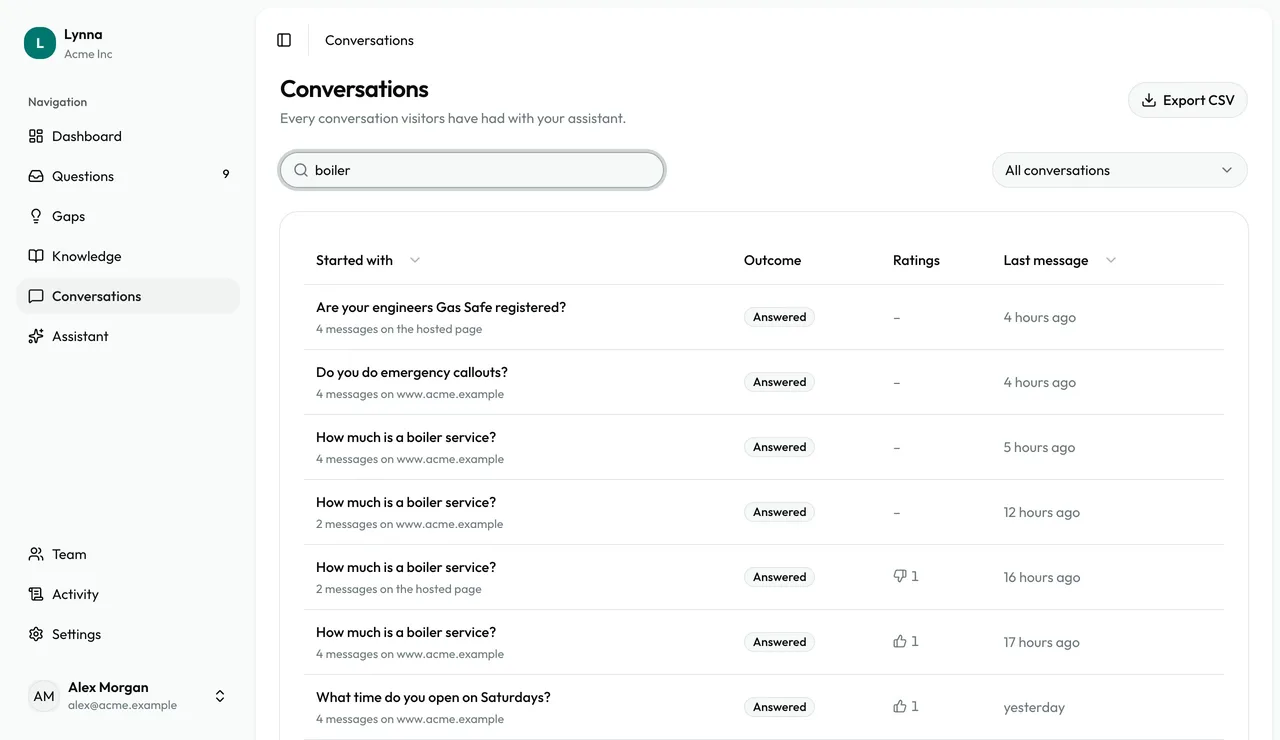
    Search
  4. Step 4

    Filter

    Choose With unanswered questions to see where your assistant needed help.
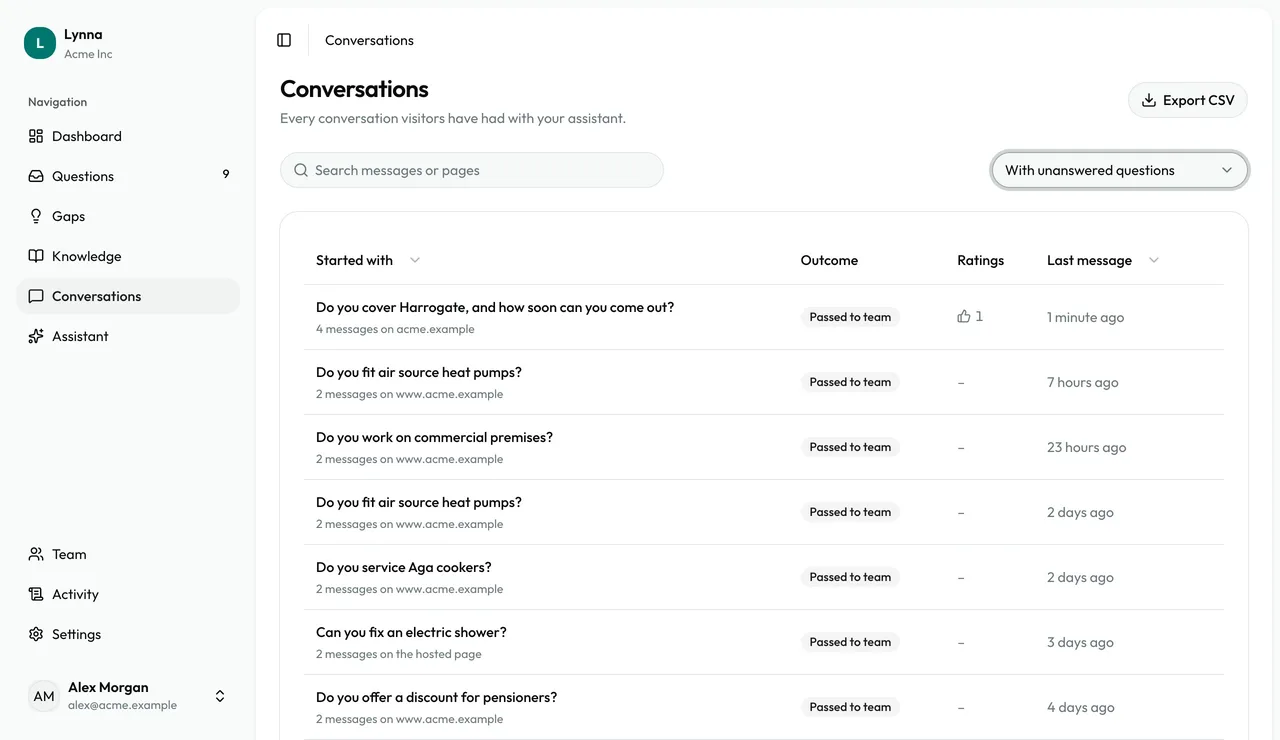
    Filter
  5. Step 5

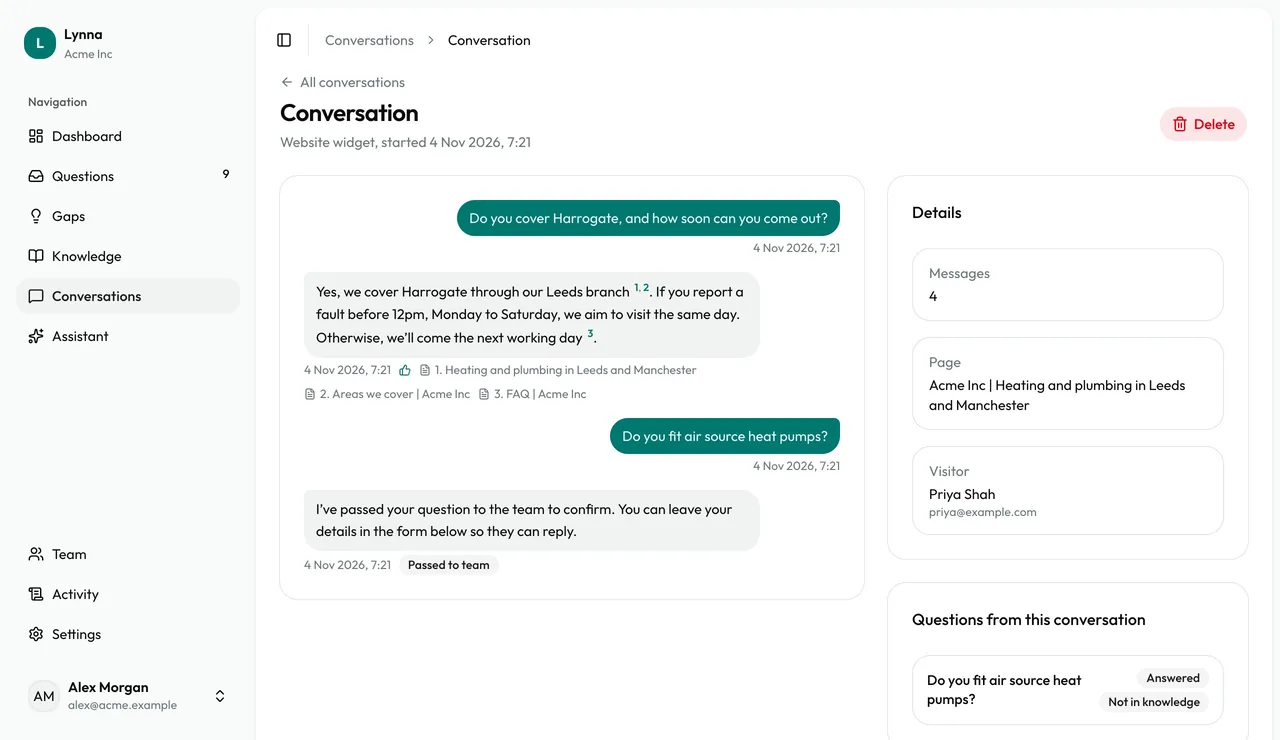
    Read the transcript

    Open a chat to see every message, the sources behind each answer and any related question.
    Read the transcript
  6. Step 6

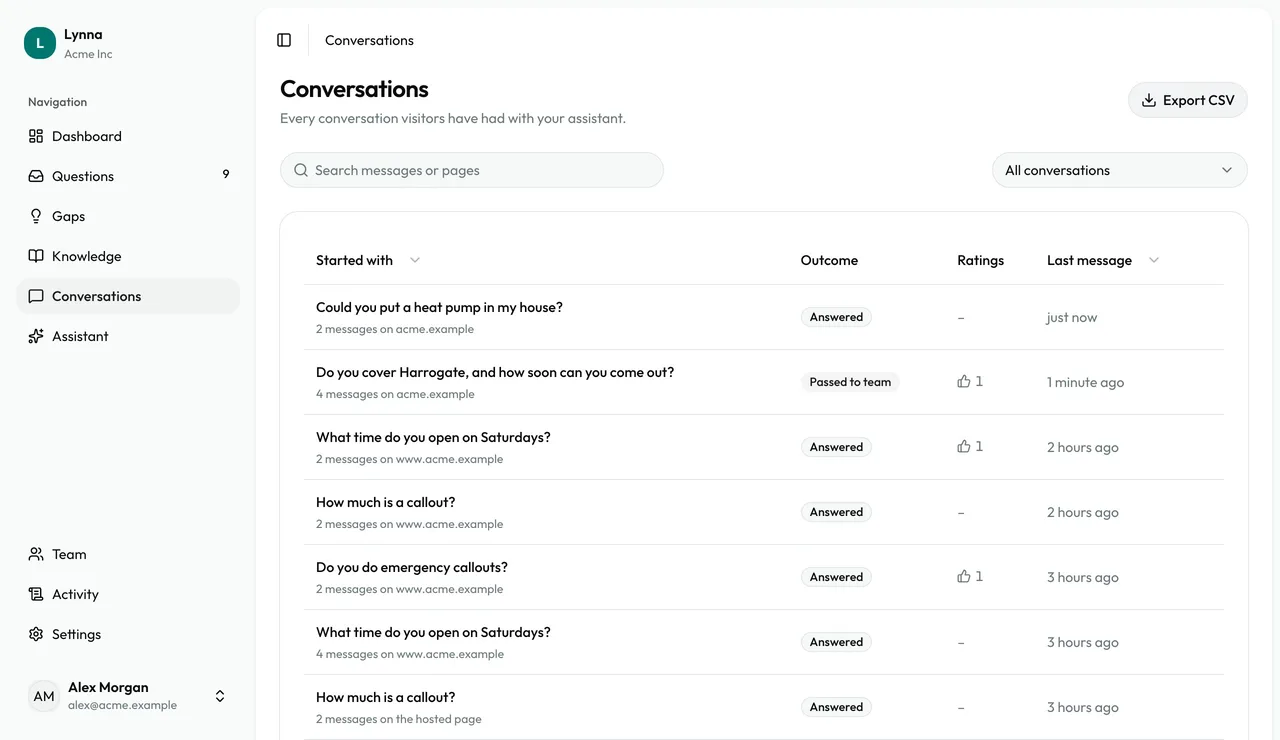
    Export

    Owners can choose Export CSV to download every conversation as a spreadsheet.
    Export

Next: Read your dashboard

Next guide
Lynna

The AI assistant for UK businesses. Answers for your customers, day and night.

hello@lynnalabs.com

Product

  • Pricing
  • Help
  • FAQ
  • Business types
  • Use cases
  • Compare
  • Free website check

Legal

  • Terms of Service
  • Privacy Notice
  • Data Processing Agreement
  • Sub-processors
  • Cookies

Account

  • Sign in
  • Start free trial

© 2026 Lynna Labs Ltd. Lynna is a product of Lynna Labs Ltd.

Lynna Labs Ltd is registered in England and Wales, company number 17168299. Registered office: 71-75 Shelton Street, Covent Garden, London WC2H 9JQ, United Kingdom. Registered with the Information Commissioner's Office, reference ZC270880. No VAT is charged.