Get started
Teach your assistant
Your assistant only answers from what you give it, so this is the step that matters most. Lynna reads your website page by page, then you add the documents visitors ask about and notes for anything that isn't written down.
Step by step
Step 1
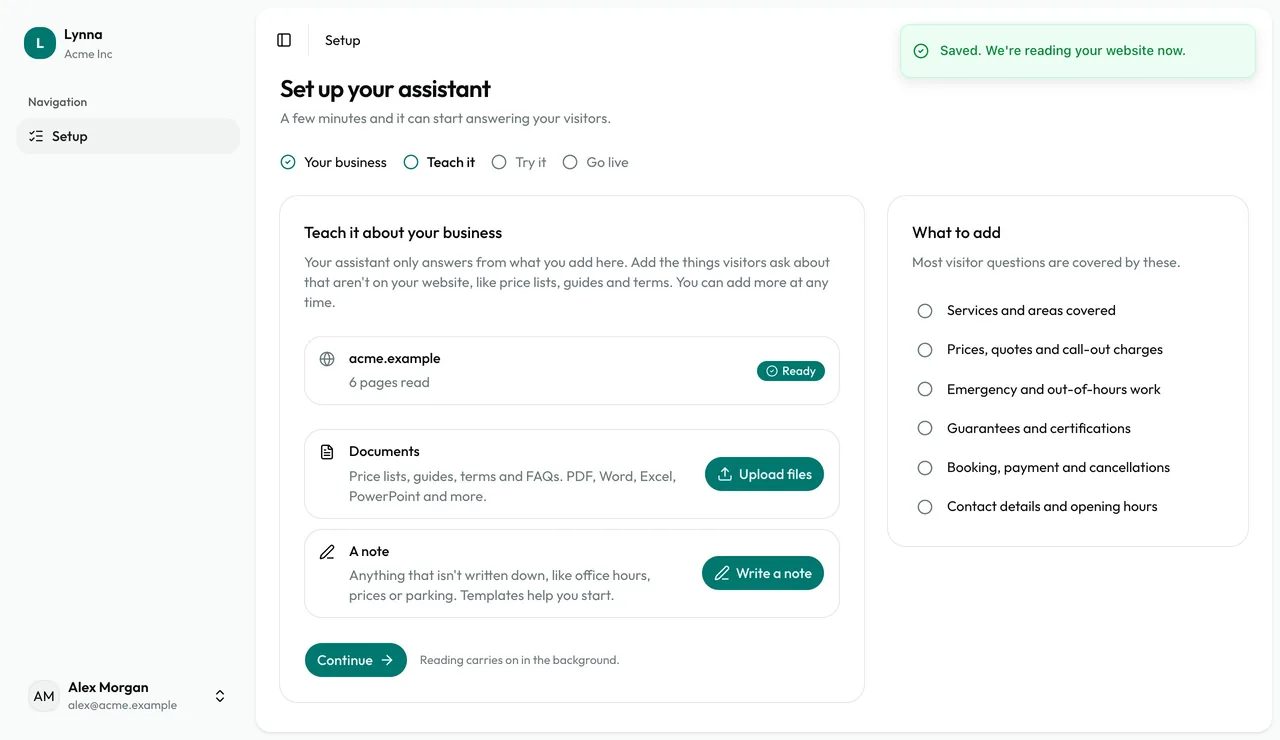
Let your website finish reading
Your website appears with its progress. You don't have to wait: reading carries on in the background.
Step 2
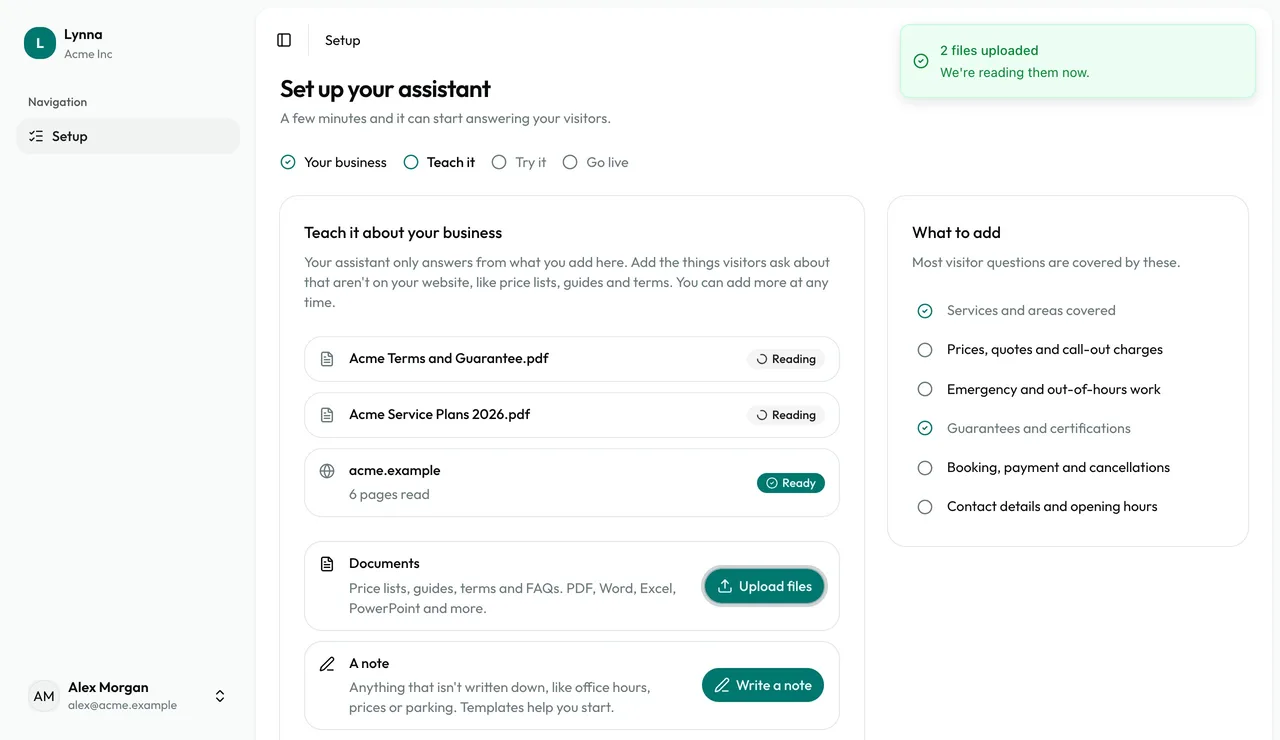
Upload your documents
Choose Upload files and drop in price lists, guides and terms. PDF, Word, Excel, PowerPoint, CSV, web pages, text and Markdown all work, up to 20 MB each.
Step 3
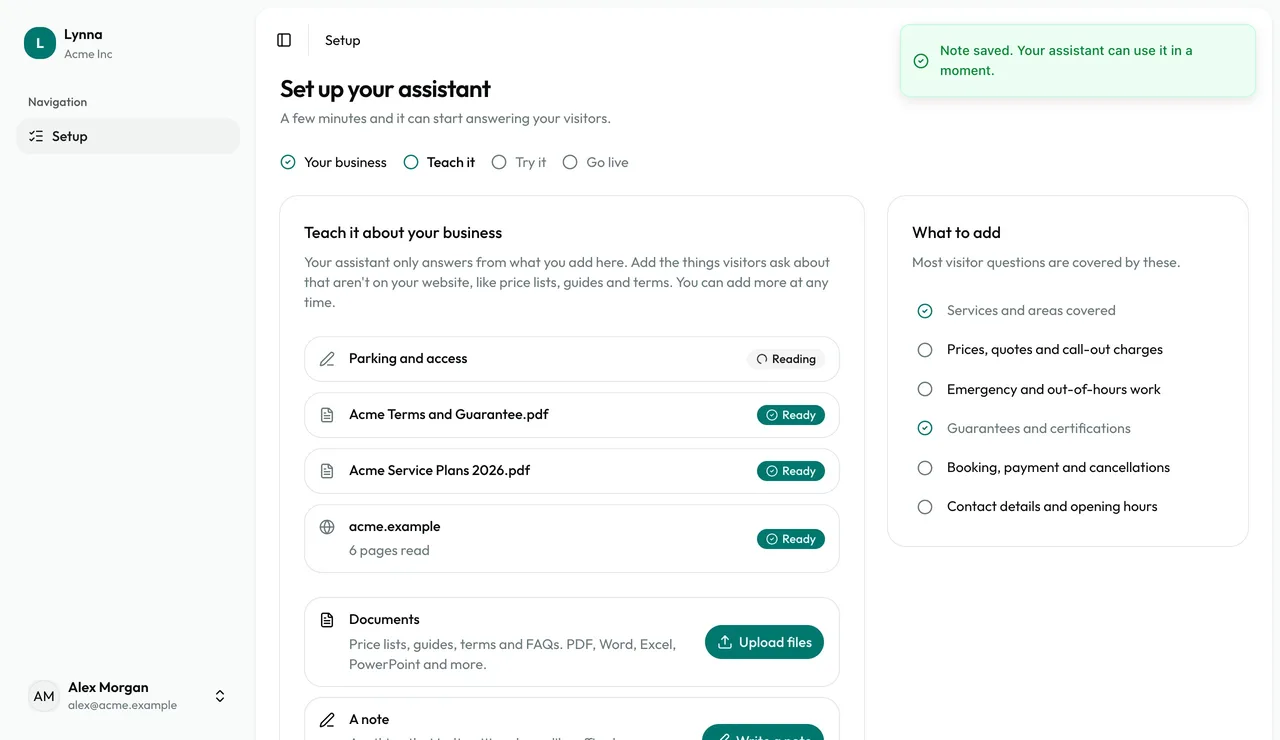
Write a note
Choose Write a note for anything that isn't written down, like parking or access. Start from a template if it helps, and give each topic its own heading.
Step 4
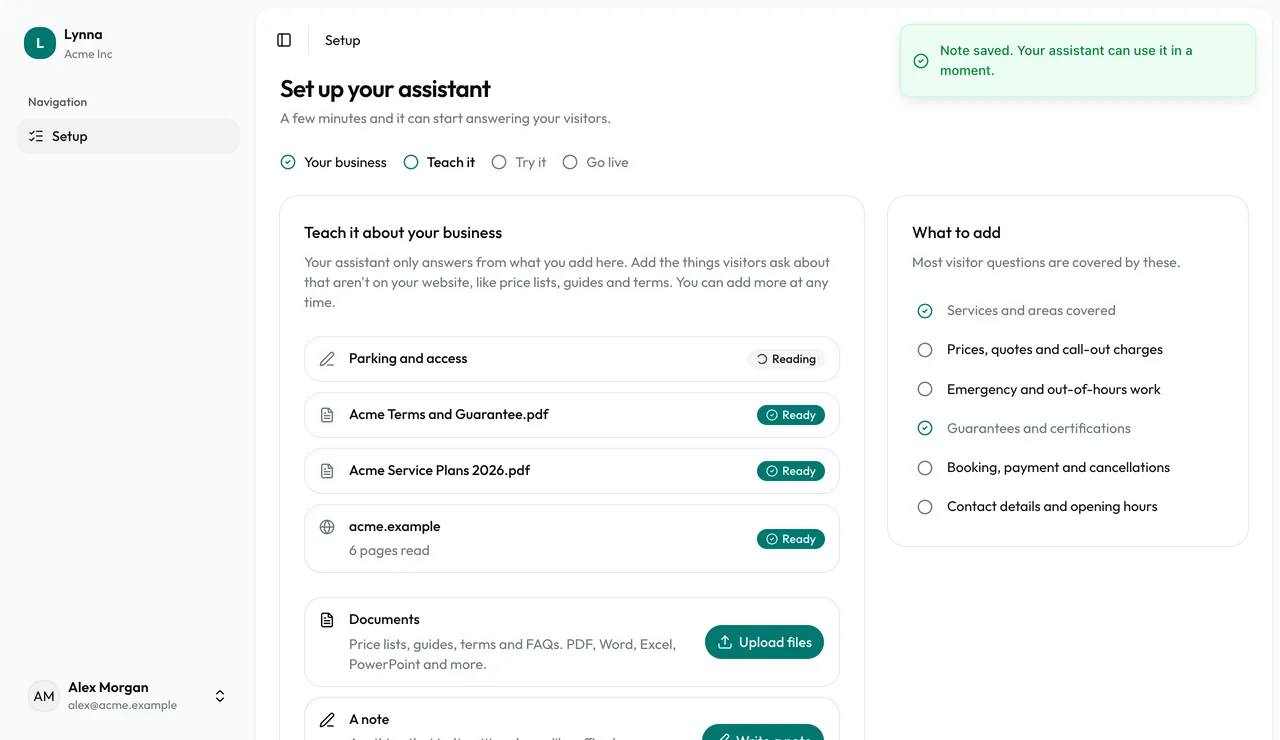
Check what's covered
Each source shows when it's ready. The What to add checklist ticks off the topics visitors usually ask about, so you can see what's still missing.
- Write notes the way you'd tell a customer, with the real numbers, days and names.
- Use a table for prices, so each row keeps its service and price together.
- Scanned PDFs have no text to read. Export a text version, or write a note instead.
Next: Try your assistant
Next guide